Restaurant payroll, with shifts and night hours
Split shifts, late closings, and weekends. Upload your time clock file and E-Nómina sorts every kind of hour by your rules.
What makes restaurant payroll hard
In a restaurant nobody works the same hours. Some close late, others cover the weekend, and others stay when a large group walks in. Typing all of that into a spreadsheet every period is where mistakes happen.
Every hour where it belongs
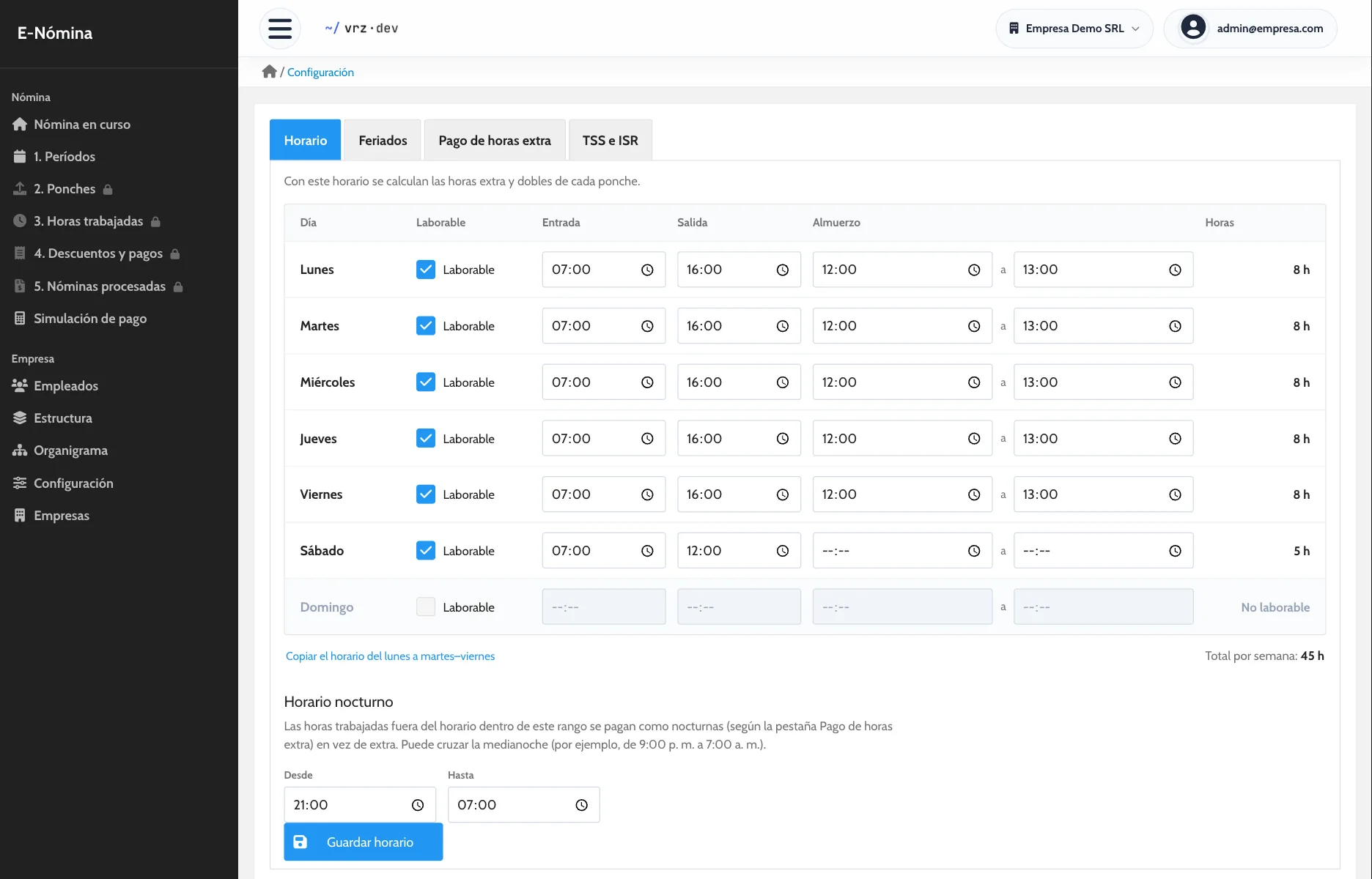
You set each day’s schedule and the night-hours range, and how much extra you pay for overtime, night, weekend, or holiday hours. E-Nómina takes each employee’s punches and splits their hours into regular, overtime, double, and night.
If a position has different terms, such as a manager who does not get overtime, you give it its own percentages or mark it as exempt.
Hourly servers, salaried kitchen
Each employee has their own pay type: fixed salary or hourly rate. Both live in the same payroll and each is calculated the right way.
Missed punches and advances
If someone forgot to punch out, a supervisor enters the real time with a reason and the original punch stays visible. Advances and loans are deducted automatically, at once or in installments.
Several locations
Each employee has their branch in their profile. If each location is a separate company, you keep them all in one account and switch from the top bar.
How to get started
- Message us and we activate your company.
- We load your employees, positions, schedule, and holidays.
- We run one pay period side by side with your current method.
Keep reading
Time and attendance
Import your time clock punches without retyping them and review each employee’s hours, day by day, before you run payroll.
How to calculate overtime
Step by step: the hourly rate, the hours past the schedule, and the premium. With an example and the most common mistakes.
Pay stubs
One pay stub per employee with earnings, deductions, and net pay. Generate the stubs for the whole payroll in a single PDF, ready to print.
Frequently asked questions
Does it work if every employee has a different schedule?
Yes. Hours come from each employee’s punches and are split by the schedule and rules you set.
Does it calculate night hours?
Yes. You set the night-hours range and how much extra you pay for them.
Can I pay some hourly and others a fixed salary?
Yes. Each employee has their own pay type.
Can I deduct advances?
Yes. They are recorded per employee, at once or in installments.
Which time clock do I need?
Any clock that exports its punches to Excel.
How much does E-Nómina cost?
It depends on the number of employees. Request a quote.
See it in action
Try the demo with a sample company of 80 employees, or message us to see it with your own payroll.