
Your business billing, in one place
Issue invoices, record payments, and track expenses without switching programs. E-Fact shows you right away who owes you and how much came in.
Explore E-Fact features
Invoicing
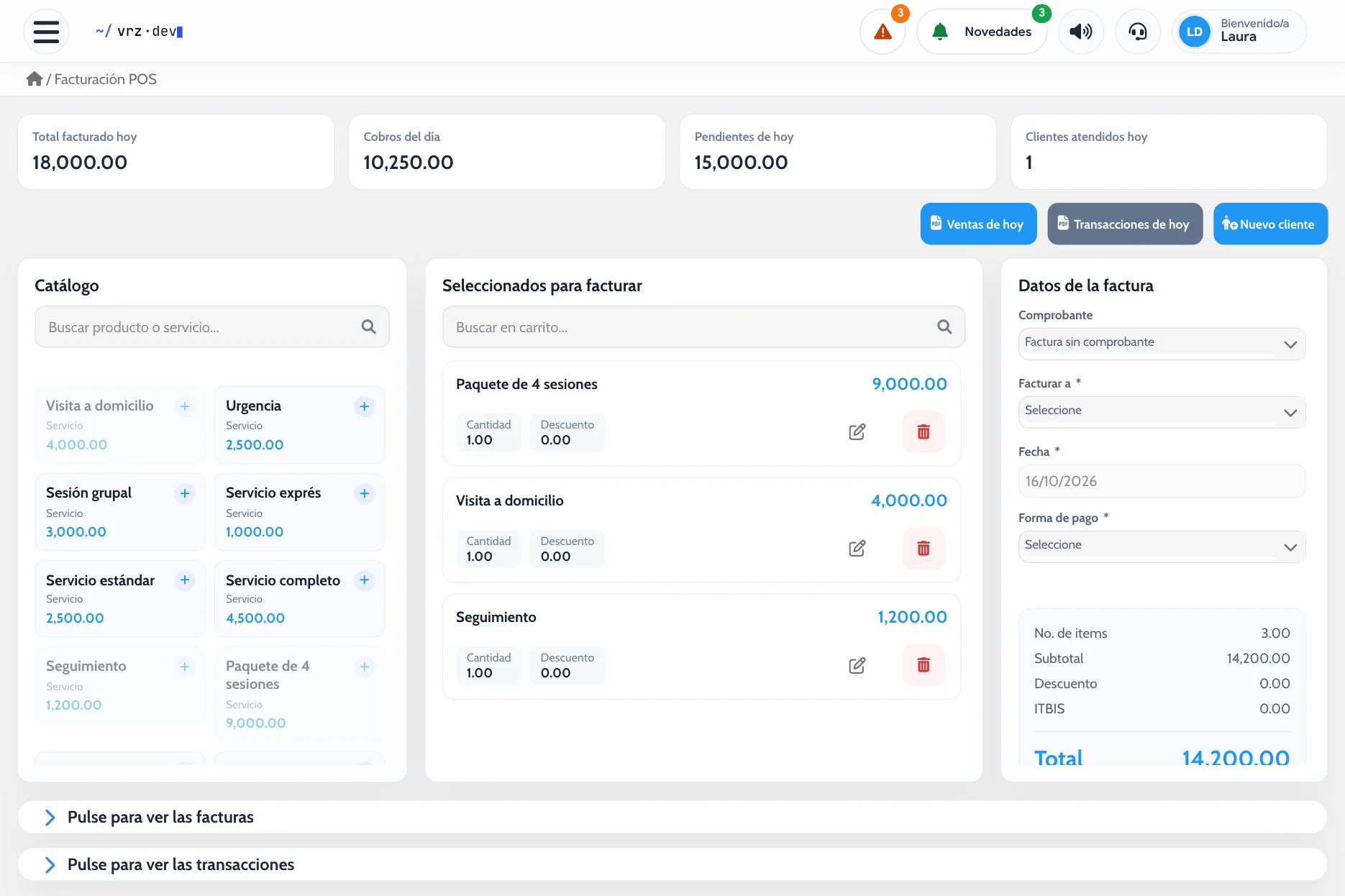
Bill in cash, on credit, or in installments from the point of sale. See what was billed, collected, and pending each day, and remind clients on WhatsApp.
Payment receipts
Record each payment with its payment method, print the receipt on the spot, and see how much money came in during the period, even if the invoice is from another month.
Debit and credit notes
Correct an issued invoice with a credit or debit note linked to it, with its concept, amount, and receipt.
Quotes
Prepare quotes with discounts and terms, approve or reject them, and turn them into an invoice or a contract without retyping anything.
Invoices, up to date
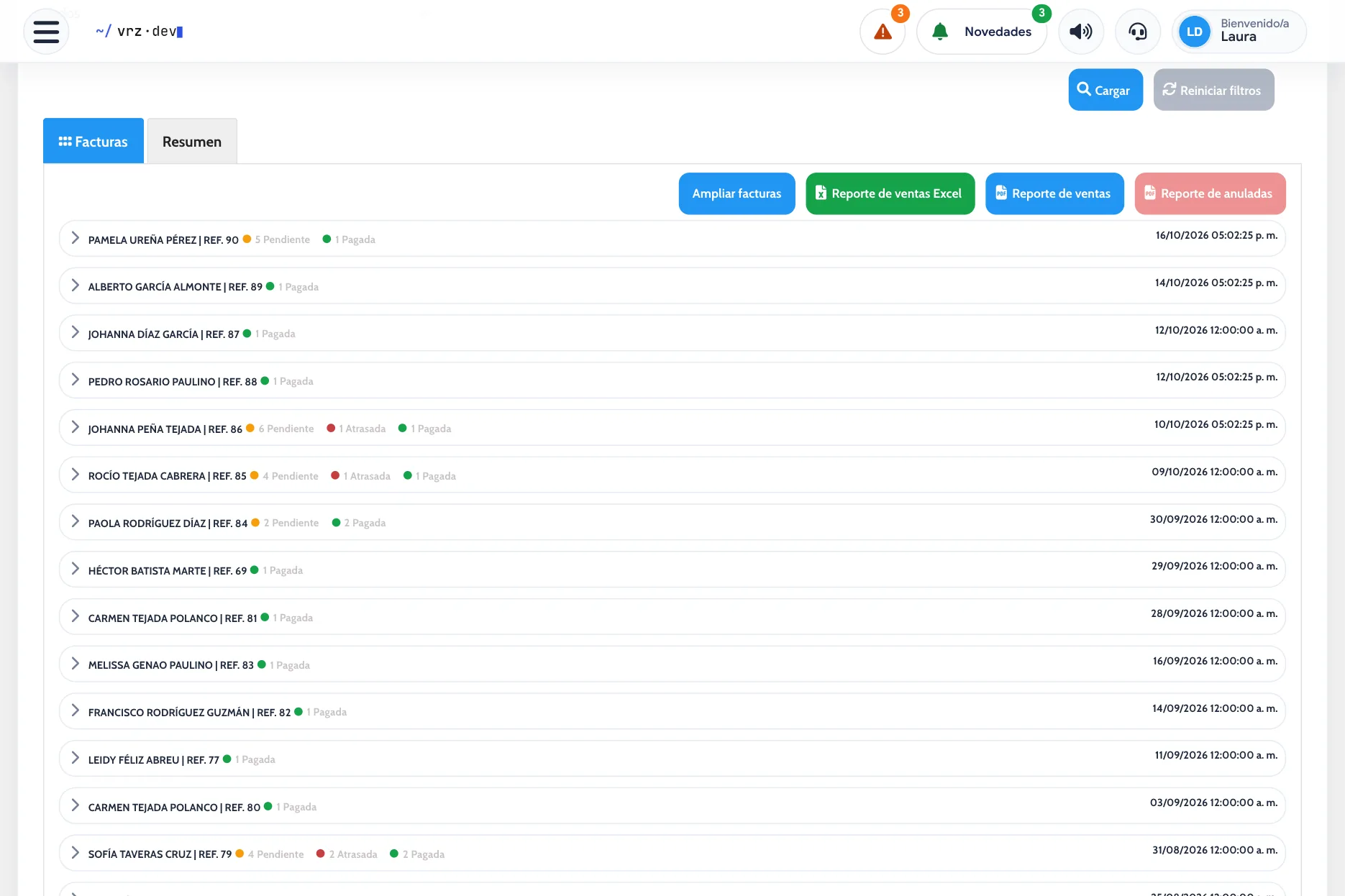
Bill from the point of sale and print the invoice or receipt on the spot. Invoices are sorted into paid, current, and overdue, so you know who to collect from.
If an invoice needs an adjustment, you issue a credit or debit note linked to it.
Electronic invoicing
Issue and track your electronic receipts from the same system where you bill and collect.
Payments with a receipt
Record each payment with its payment method and hand over a printed receipt. When the client pays cash, the system tells you the change.
Quotes, expenses, and inventory
Prepare quotes with discounts and terms, and approve them when the client accepts.
Track each expense with its concept, payee, and payment method, and print its voucher. In inventory you see the cost, price, and profit of each product, and the minimum you should keep in stock.
Reports for your accountant
See the day’s sales and income, and download your invoices, expenses, and inventory in Excel or PDF.
How to get started
- Message us and we activate your account.
- We load your clients, products, and services.
- You start billing, collecting payments, and tracking expenses.
Frequently asked questions
How is E-Fact different from E-Skin?
E-Skin includes appointment scheduling and client records. E-Fact keeps billing, payments, expenses, and inventory.
Can I issue electronic receipts?
Yes. E-Fact includes a module to issue and track your electronic receipts.
Can I see which invoices are overdue?
Yes. Invoices are sorted into paid, current, and overdue.
Can I send reports to my accountant?
Yes. You download your invoices, expenses, and inventory in Excel or PDF.
Do I need to install anything?
No. It works from the browser.
How much does E-Fact cost?
It depends on what your business needs. Request a quote.
See it in action
Try the demo or message us to see it with your own billing.