
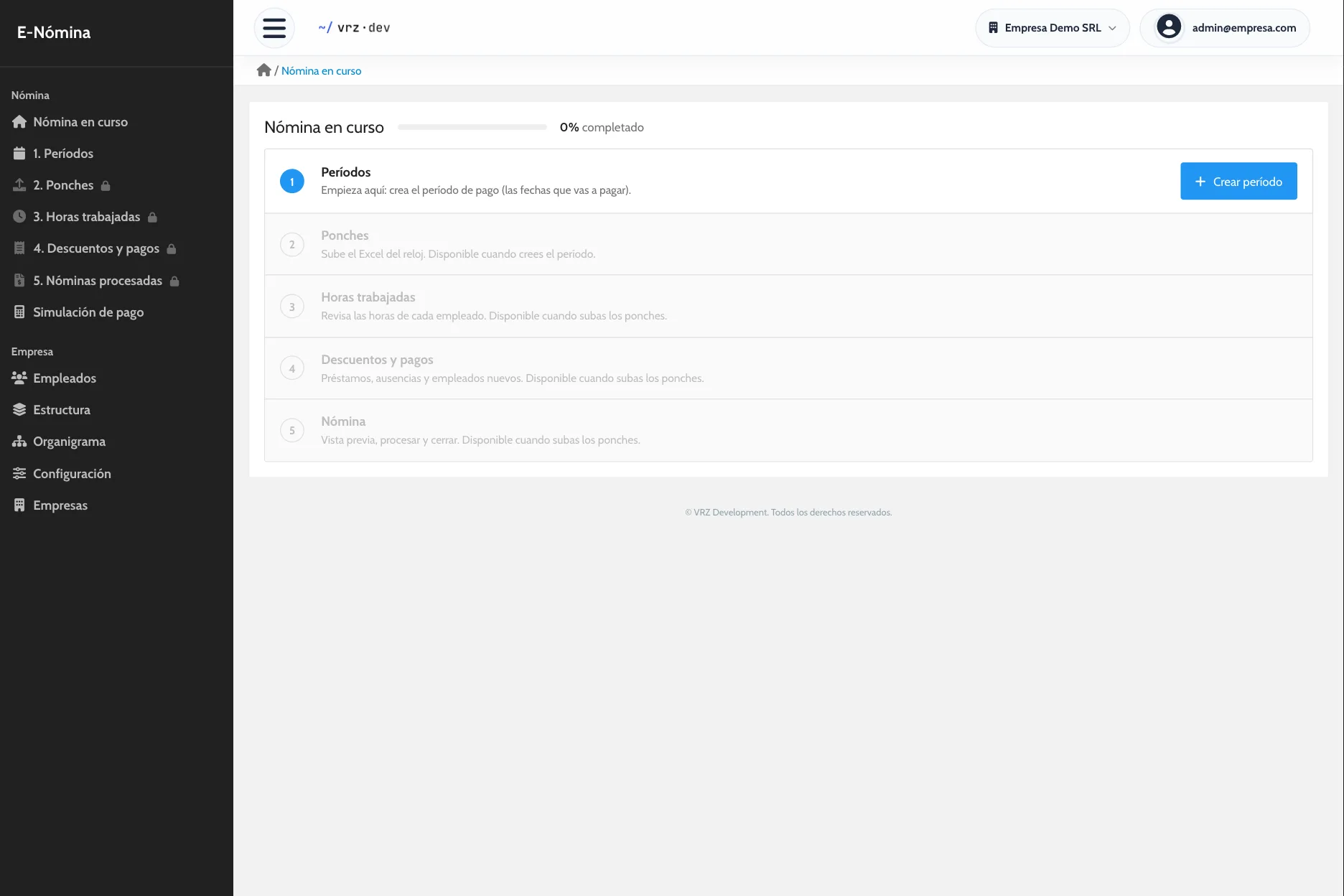
Payroll calculation with your company’s rules
E-Nómina calculates regular hours, overtime, and holidays, applies deductions and bonuses, and shows you the result before you close.
Your rules, set up once
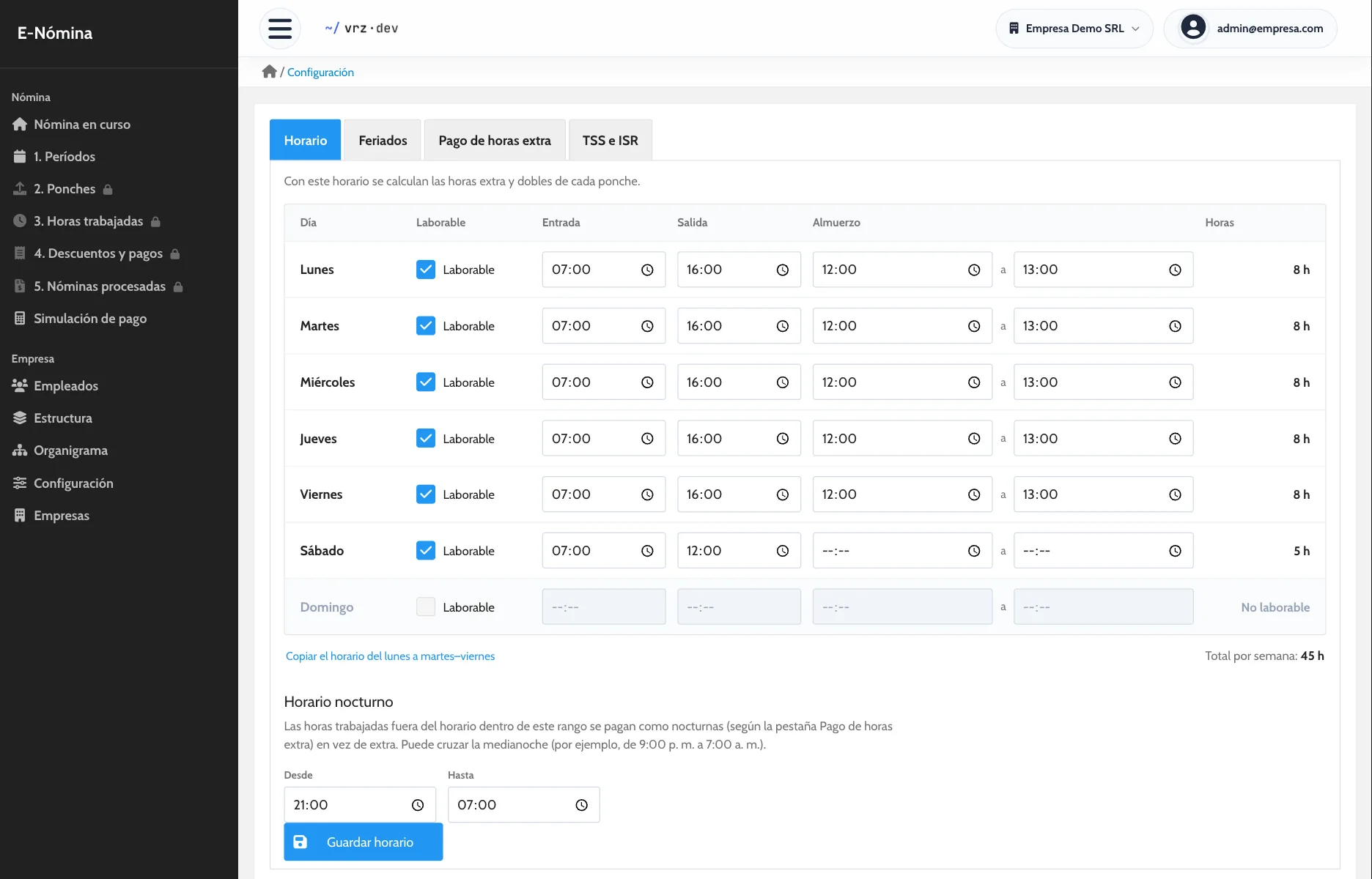
You set the company schedule day by day, with start, end, and lunch times, plus the night hours range. You also set the extra pay for overtime, night, weekend, and holiday hours. Every payroll applies those rules the same way.
If a position has different terms, you give it its own percentages or mark it as exempt from overtime. Once the period has punches, the settings lock so nobody changes the rules halfway through.
Salaried or hourly
Each employee is paid by their pay type: a fixed salary or an hourly rate. E-Nómina takes the hours in the period and calculates what each one is owed.
Deductions and bonuses without side spreadsheets
Add loans and advances, absence days, leave, insurance, bonuses, or other payments per employee. Each item can be one-time, repeat every period, or be paid in installments. If you lend six installments, each payroll deducts the one that is due.
An example
Ana has a fixed salary and works from 8:00 a.m. to 5:00 p.m. This period she stayed two extra hours on a Tuesday and worked on a holiday. She also has a loan paid in installments.
E-Nómina takes her punches, separates regular hours from overtime and holiday hours, and applies the percentage your company set for each. Then it deducts the loan installment and shows you Ana’s net pay before you close.
Review before processing
Download the payroll as a draft PDF and check each employee’s net pay. When you process, each employee’s detail is saved exactly as paid, the period closes, and the next one opens.
To try out a case without touching the real payroll, use the pay simulator.
How to get started
- Message us and we activate your company.
- We load your employees, positions, schedule, and holidays.
- We run one pay period side by side with your current method.
Keep reading
Time and attendance
Import your time clock punches without retyping them and review each employee’s hours, day by day, before you run payroll.
Pay stubs
One pay stub per employee with earnings, deductions, and net pay. Generate the stubs for the whole payroll in a single PDF, ready to print.
E-Nómina
Run payroll from your time clock with your company rules, review it before you close, and give every employee a pay stub. Request a quote.
Frequently asked questions
Can I add deductions and bonuses?
Yes. They are recorded per employee for each period.
Can I deduct a loan in installments?
Yes. You set the number of installments and each payroll deducts the one that is due.
Can I see the payroll before closing it?
Yes. You can download it as a draft PDF before processing.
How are hours worked on a holiday paid?
With the percentage your company set for holidays. You keep each year’s holiday calendar in the system.
What happens if I change a rule after processing?
Processed payrolls do not change. They keep the detail exactly as paid.
How much does E-Nómina cost?
It depends on the number of employees. Request a quote.
See it in action
Try the demo with a sample company of 80 employees, or message us to see it with your own payroll.