Payroll for factories and warehouses that run on shifts
Many employees, several shifts, and a biometric clock at the door. E-Nómina imports the punches, calculates the hours, and lets you review before you close.
Lots of punches, none typed
Export the period’s punches from your time clock or biometric reader to Excel and upload them. E-Nómina finds the columns even if they come in another order and matches each punch to its employee by clock code or ID number.
Repeated punches are saved once, and if you upload the same file twice the import warns you.
Day and night shifts
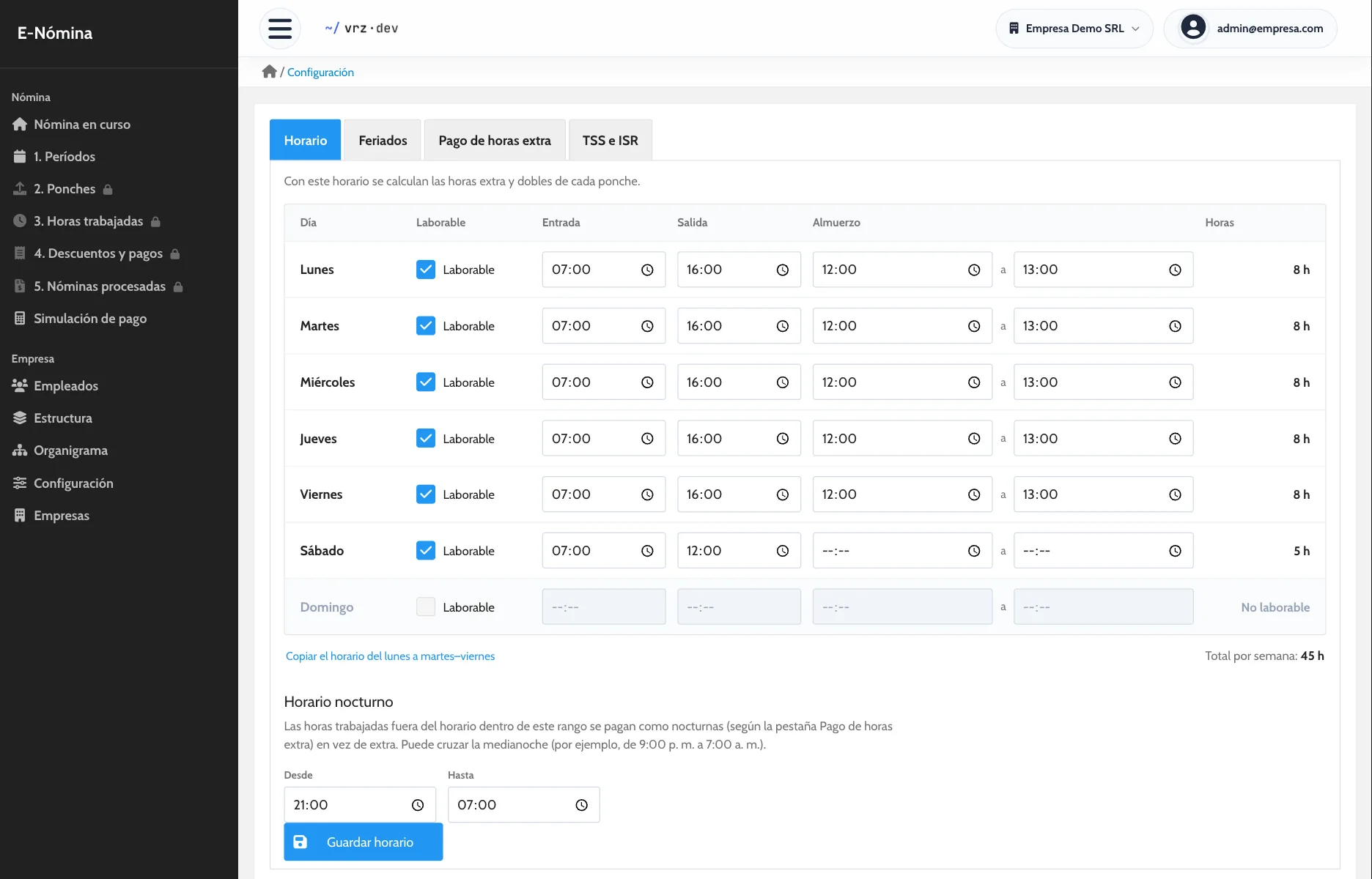
You set the company schedule day by day and the night-hours range. Each employee’s hours are split into regular, overtime, double, and night, with the percentage your company pays for each.
Review before you pay
Days with a single punch or an odd number of punches show as incomplete, and you can filter employees with no punches in the period. Before processing, you download the payroll as a draft PDF.
Departments, positions, and supervisors
Organize the company by departments and positions, set who each role reports to, and view the org chart. Positions that do not get overtime are marked as exempt.
How to get started
- Message us and we activate your company.
- We load your employees, positions, schedule, and holidays.
- We run one pay period side by side with your current method.
Keep reading
Time and attendance
Import your time clock punches without retyping them and review each employee’s hours, day by day, before you run payroll.
Payroll calculation
Overtime, holidays, deductions, and bonuses calculated with your company’s rules. Review each employee’s net pay before you close payroll.
How to calculate overtime
Step by step: the hourly rate, the hours past the schedule, and the premium. With an example and the most common mistakes.
Frequently asked questions
Does it work with a biometric clock?
Yes, if it exports its punches to Excel.
What about repeated punches?
Repeats within the file are saved once, and punches already loaded are detected.
Can I see who did not punch?
Yes. You can filter employees with no punches in the period, and incomplete days are flagged.
Can I exclude supervisors from overtime?
Yes. Mark their position as exempt from overtime.
How do I start without risking the next payroll?
We run one period side by side with your current method so you can compare before you switch.
How much does E-Nómina cost?
It depends on the number of employees. Request a quote.
See it in action
Try the demo with a sample company of 80 employees, or message us to see it with your own payroll.